 Int. corridor · Night
24 mm
02
A horror short
A 45 to 60 second short with sound. Light, color and lens for the horror look, creature reveals, a scare built in three shots, and ambience that does half the work.
Online course · AI video · In English
Uncut AI Academy teaches you to direct AI video. You build one consistent AI model, shoot fashion and brand content with it, and make short horror and action films, with the prompts and settings behind every example.
 Rec 00:00:12:04
A001_C004 · 50 mm
AI model
What you'll make
01
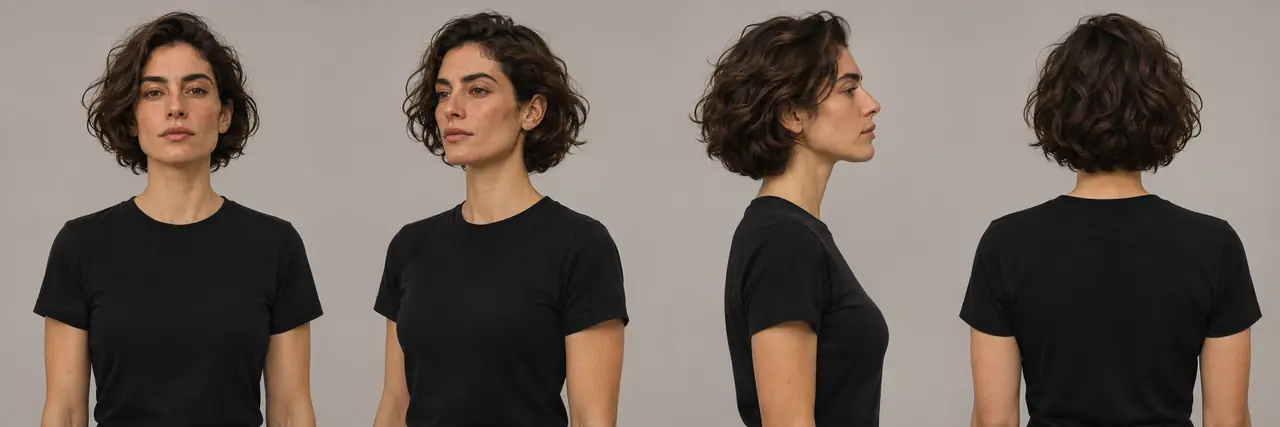
One face, kept consistent. You design a fictional model from a character sheet, then put the same person in any outfit and location without losing the face.
 Same face, new scene
85 mm
 Int. corridor · Night
24 mm
02
A 45 to 60 second short with sound. Light, color and lens for the horror look, creature reveals, a scare built in three shots, and ambience that does half the work.
 Ext. night market · Rain
1/50 s
03
A 45 to 60 second trailer that cuts like a real one. Handheld moves and whip pans, chases that hold up, and the same hero from shot to shot.
The lessons
Each lesson has one output you produce yourself. A foundations section covers AI images and video from zero before the projects start.
How we work
They apply to every example, every lesson and the community. If a tool's own policy is stricter, the tool's policy wins.
01
Fictional adults only
Every person you generate is invented and 25 or older.
02
No nudity, no sexual content
Not in the lessons, not in the examples, not in the community.
03
No real people
No celebrities, no people you know, no face swaps, no lookalikes. The only real person you may use is yourself.
04
Nothing that passes for real news
No fake footage of real places, events or tragedies. Horror and action stay clearly fictional.
05
Say it is AI
An AI model is labeled as AI wherever you publish it.
06
Platform rules and local law
Every platform decides what it allows, and your local law applies to you. We teach within both, and we don't teach ways around a tool's safety filters.
Questions
No. The foundations section covers AI images and video from the start, then the three projects build on it step by step.
Current AI image and video models, such as Seedream, Seedance and Wan, and CapCut for the edit. These are separate services with their own pricing: most video models charge for each second of video you generate.
Yes, all lessons are in English.
We don't promise any income or results. The course teaches you how to make the videos. What you do with them is up to you.
Enrollment opens soon. The price will be shown at checkout on Whop before you pay.
Yes. You can ask for a full refund within 14 days of your purchase. Refund policy.
The course is in production.